
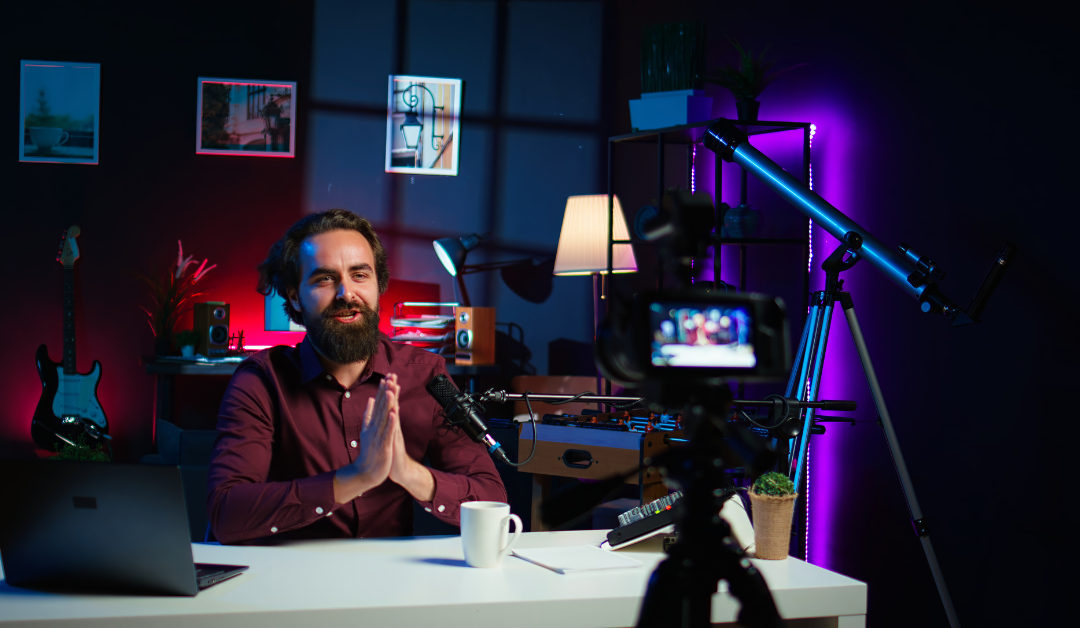
5 Signs Your Homeowners Insurance Won’t Cover Your YouTube Studio
You’ve spent years (and a small fortune) meticulously curating the perfect setup. The 4K cameras, the soundproofed walls, the Shure SM7B mounted on a premium boom arm, and that beefy workstation that renders 8K video without breaking a sweat. It’s your sanctuary, your office, and your livelihood.
But here is the cold, hard truth: If a pipe bursts or a thief decides your gear looks like a quick payday, your standard homeowners insurance policy might just leave you on “read.”
Most creators assume that because their studio is physically inside their home, it’s automatically covered under their contents insurance. We’ve audited dozens of policies in 2026, and the reality is far more precarious. Standard policies are designed for couches and clothes, not professional-grade media production hubs. If you are generating even a single dollar from your content, you’ve likely crossed an invisible line into “commercial use,” a territory where traditional homeowners’ policies refuse to tread.
In this deep dive, we’ll break down the five unmistakable signs that your studio is a ticking financial time bomb, and why a dedicated partner like Hostinger—while great for your website—needs to be matched with equally robust professional insurance.
1. You Earn Any Income (Directly or Indirectly)
The most common reason for a denied claim is the “Business Use” exclusion. In the eyes of an insurance adjuster, as soon as you monetize your channel, your hobby becomes a business.
Standard homeowners policies are built for personal liability and residential property. They often include specific clauses that void coverage for equipment used for “professional purposes.” We’ve seen claims rejected because a creator had a single Patreon supporter or a $50 sponsorship deal. If your gear is making money, your insurer wants a piece of that risk reflected in a commercial premium.
2. Your Equipment Value Exceeds the “Special Limits”
Every policy has a “Special Limits of Liability” section. While your total contents coverage might be $100,000, the sub-limit for “Electronic Data Processing” or “Business Property” is often capped at a measly $2,500.
2026 Creator Gear Cost Comparison
| Item | Average Professional Cost | Standard Insurance Sub-Limit | Coverage Gap |
| Main Camera & Lenses | $4,500 | $1,500 | -$3,000 |
| Workstation (PC/Mac) | $3,500 | $1,000 | -$2,500 |
| Audio Interface & Mics | $1,200 | $500 | -$700 |
| Studio Lighting & Grip | $1,800 | $0 (often excluded) | -$1,800 |
| Total | $11,000 | $3,000 | -$8,000 |
As shown above, a standard policy leaves you $8,000 in the hole before you even factor in your soundproofing or furniture.
3. You’ve Modified Your Home Structure
Did you install heavy-duty acoustic panels? Did you add a dedicated electrical circuit to handle your lighting rig and server? Or perhaps you converted a garage into a sound-treated fortress?
Standard insurance covers the home as it was originally appraised. Significant “Tenant Improvements” or structural changes for a business setup can be seen as a “material change in risk.” If you haven’t notified your insurer about these modifications, they can argue that the policy is void because the risk they originally insured has changed
Pro Tip: In 2026, insurers are increasingly using AI-driven aerial photos and social media monitoring to spot undeclared home businesses. If your background looks like a professional studio but your policy says “spare bedroom,” you’re at risk.
4. You Host Collaborators or Guests
If a fellow YouTuber trips over a stray XLR cable in your studio and breaks their arm, your homeowners’ liability won’t save you. Standard liability is for “social guests.” Once that person is there for a “business purpose”—like filming a collab or a podcast episode—they are considered a business invitee.
Most homeowners policies explicitly exclude “bodily injury or property damage arising out of or in connection with a business conducted from an insured location.” Without Public Liability insurance, a single slip-and-fall could cost you your house.
5. You Take Your Gear “On Location”
The “home” in homeowners insurance is literal. While some policies offer limited “off-premises” coverage, it usually only covers theft from a locked vehicle or a hotel room, and often at a fraction of the value.
If you’re filming at a local park, a rented studio, or a tech conference, and your camera gets swiped or dropped, a standard policy will likely provide zero coverage. Real creator insurance includes “In-Transit” and “Worldwide” protection, ensuring your gear is safe whether it’s in your basement or on a plane to CES.
The Solution: Why You Need Specialized Creator Coverage
While we often talk about protecting your digital assets with tools like Hostinger for your website hosting, protecting your physical assets requires a different approach. For creators, the “Gold Standard” is a Business Owner’s Policy (BOP) or a specific “Influencer/Creator Rider.”
Affiliate Focus: Protecting Your Digital Studio with Hostinger
While you’re securing your physical studio, don’t forget the digital one. Your website is where your brand lives, and just like your physical gear, it needs top-tier protection.
Why we recommend Hostinger for Creators:
-
Automatic Backups: Just like insurance for your hardware, Hostinger provides daily backups so you never lose your content.
-
Enhanced Security: With built-in DDoS protection and malware scanning, it’s the “security system” for your digital studio.
-
Scalability: As your channel grows from 1k to 1M subscribers, Hostinger’s VPS and Cloud plans scale with you.
Pros & Cons of Professional Creator Insurance
Pros:
-
Replacement Cost Value: You get the money to buy a new camera, not a 5-year-old used one.
-
Business Interruption: Covers lost income if your studio is unusable due to a fire or flood.
-
Professional Liability: Protects you if a client sues you for copyright infringement or “unintentional breach of contract.”
Cons:
-
Higher Premiums: Typically costs more than a standard homeowners add-on.
-
Inventory Management: Requires you to keep a meticulous log of all your serial numbers and receipts.
Step-by-Step Guide: How to Audit Your Coverage
-
Read the “Exclusions” Page: Look for the words “Business Pursuits,” “Commercial Use,” or “Professional Equipment.”
-
Calculate Your Total Gear Value: Include everything from your $500 lens to your $200 desk chair.
-
Call Your Agent (The “Hypothetical” Call): Ask, “If I started a small YouTube channel and it made $100 a month, would my gear still be covered?” Record their answer.
-
Get a Specialist Quote: Contact insurers that specialize in “Creative Professionals” or “In-Home Businesses.”
-
Sync Your Digital and Physical Security: Ensure your website (on Hostinger) and your physical studio (via specialized insurance) are both locked down.
FAQ: People Also Ask
1. Does “Schedule Personal Property” riders cover my YouTube gear?
Not usually. While you can “schedule” an expensive camera, most scheduled property riders are for personal use only (like a wedding ring or a hobbyist camera). If you use it for work, the rider may be voided upon claim.
2. Can I just get a “Home Business” endorsement?
Sometimes. Some insurers offer a “Permitted Incidental Occupancies” endorsement. However, these often have very low limits (around $2,500–$5,000) which rarely covers a full studio setup.
3. Does insurance cover my digital video files?
Standard insurance almost never covers the cost of “Data Recovery.” If your NAS drive dies and you lose 500 hours of footage, you need specialized “Cyber/Data Recovery” insurance to cover the professional costs of retrieving that data.
4. What if I don’t have a “Business License”?
Even without a formal LLC or license, if you are earning income, you are a “Sole Proprietor” in the eyes of the IRS and your insurance company. The lack of a formal business structure doesn’t exempt you from the business exclusion.
5. Is my soundproofing covered as part of the “Dwelling”?
Generally, no. Soundproofing is often considered a “Trade Fixture.” If it’s damaged, the insurer may argue it’s business property rather than a part of the home’s structure, especially if it was added after the initial policy was written.
Final Verdict
The “set it and forget it” mentality works for your Hostinger website hosting, but it’s a dangerous game to play with your physical studio. If you’ve noticed any of the five signs above, it’s time to stop crossing your fingers and start looking for a professional policy.
Your YouTube studio is your dream. Don’t let a single “business use” clause turn that dream into a financial nightmare.
How much is your current gear worth, and have you checked your policy’s sub-limits recently?